Notion workspace + AI · Pro
Your marketing system, powered by AI
The full Tawlé marketing workspace: the Notion structure, Claude set up to write in your voice, a strategy vault, and video walkthroughs. A content engine that runs, with you making the decisions.
- Everything in Basic: calendar, post tracker, ideas database
- Claude AI setup guide, with prompts tuned to your voice and your offer
- Strategy vault: frameworks, hooks and content angles that convert
- Video walkthroughs, plus a 30-minute session with Zina
The problem Pro fixes
Your AI doesn’t sound like you yet.
Most founders try AI for content once, get something generic, and give up. The Claude setup in this workspace fixes that. You’re not prompting from scratch; you’re setting up a system that knows your offer, your voice and your audience.
- 10 captionsdrafted in the time it used to take to write one.
- One idea, three platformsrepurposed into posts that fit each one.
- Hooks that sound like younot like everyone else using AI.
- A week of contentin one sitting, from the ideas already in your database.
- 30 to 60 minutesa week for content planning once the setup is done.
- One session with us30 minutes with Zina to point the system at your business.
What’s inside
Four modules. One complete system.
Every piece is here because founders kept hitting the same wall. Here’s what each one solves.
-
01
The workspaceYour marketing hub
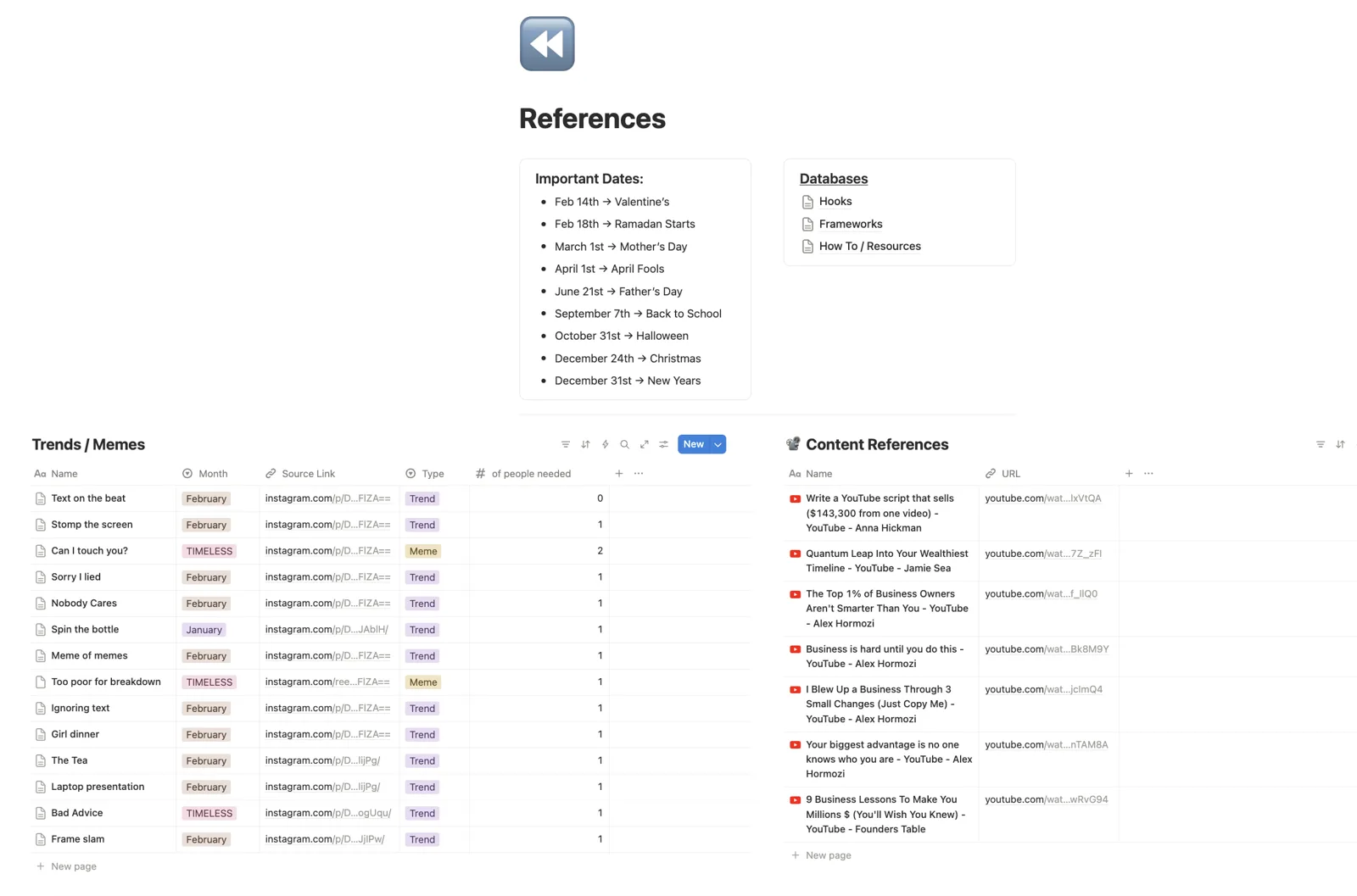
Pre-built and organized. Content calendar in monthly and weekly views, a post tracker that shows what’s live, drafted or overdue, and an ideas database for every idea that hits at the wrong time.
- Notion
- Calendar
- Tracker
- Ideas
-
02
Claude AI setupWhere Pro earns its price
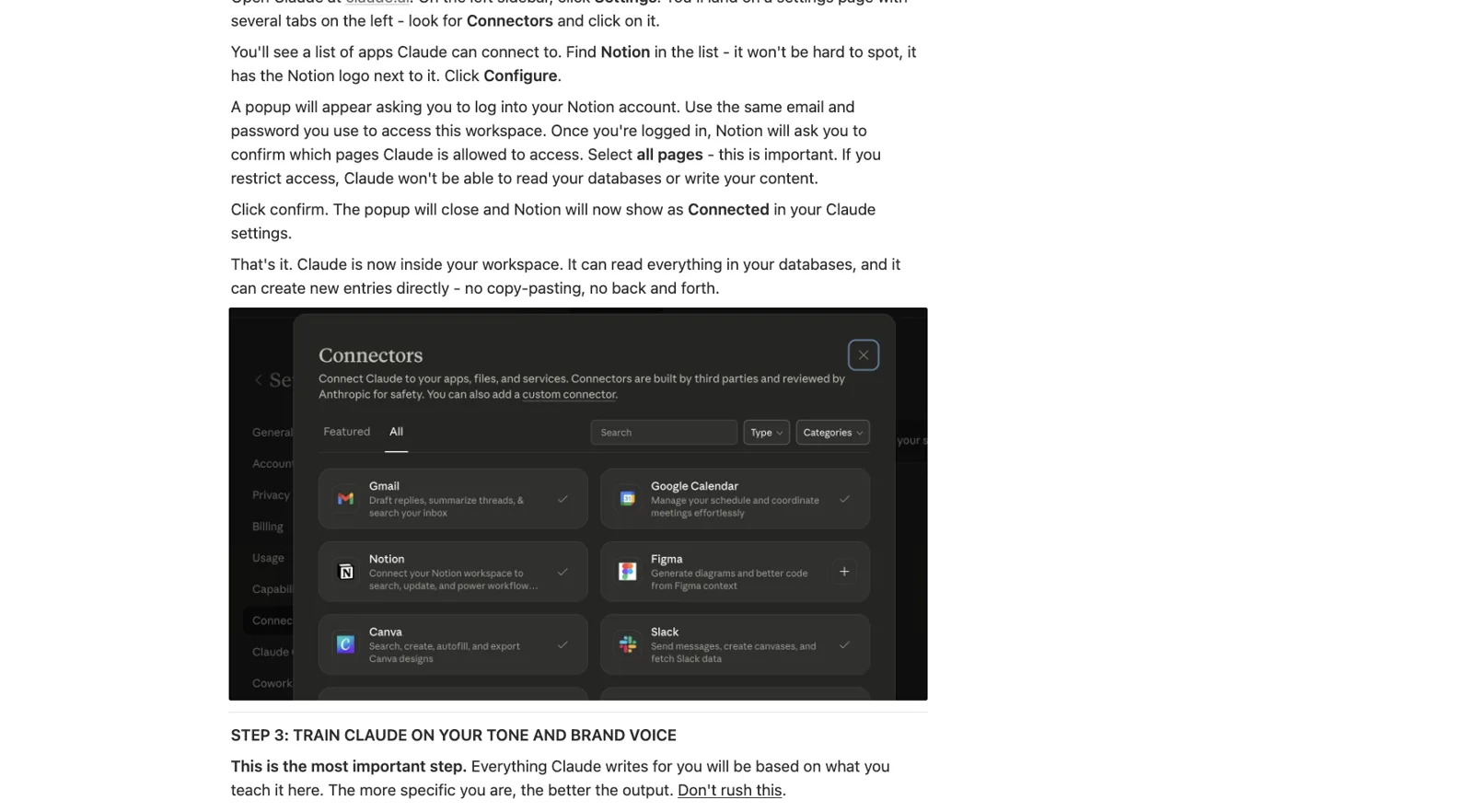
A step-by-step guide to setting up Claude to write in your voice. Prompt architecture, offer framing, tone calibration, and workflows for captions, hooks and post series.
- Prompt setup
- Voice training
- Workflows
-
03
Strategy vaultWhat actually works
A curated library: content frameworks, hook formulas, offer angles, pillar structures. Not theory. Formats used across our client work. Pull from it when you’re blank.
- Frameworks
- Hooks
- Offer angles
- Pillars
-
04
Video walkthroughsWatch once, run it yourself
A workspace you don’t use is a pretty template. The walkthroughs show how each section works, how to customize it, and how to plug in the AI workflows.
- Workspace tour
- AI setup
- Customization
See it before you buy
Inside the Pro workspace
This is for you if
- You want to use AI for content and don’t know where to start
- You post inconsistently and want a real system
- You’re running all the marketing yourself
- You want to move fast without the content getting worse
- You’ll spend two to three hours setting it up right, once
Probably not if
- You want someone else to run your content. That’s an Optimization Project.
- You don’t plan to use AI at all. Basic gives you the structure without it.
- You won’t open Notion. It lives there.
You’re looking at
Pro, $24
The workspace, Claude in your voice, the strategy vault, the walkthroughs and a 30-minute session with Zina. One setup session, then a content workflow that doesn’t depend on motivation.
Get Pro for $24Not ready for AI yet?
Basic, $15
The same workspace without the AI layer: calendar, tracker, ideas. Start there and upgrade later for the difference.
See BasicNot convinced? You pay nothing.
Duplicate it, run it for a few weeks, and if it doesn’t make your marketing easier to keep up, write to us within 30 days and we refund you. No questions.
Questions
Before you buy
Do I need a Claude subscription?
Claude’s free tier works for testing. For daily content work, a paid plan (around $20 a month) gives you the speed and volume you’ll want. The guide works with both.
How is this different from Basic?
Basic is the structure: the Notion workspace and calendar. Pro adds the intelligence layer: AI set up so content sounds like you, a strategy vault so you never start from zero, and videos so you use it all properly.
I’ve never used Notion or Claude. Is this manageable?
Yes. That’s what the walkthroughs are for. Set it up once with the videos running, and the system carries you from there. If you get stuck, reach out.
How long does setup take?
Plan two to three hours to go through the walkthroughs and set up the AI properly. After that, weekly content planning takes 30 to 60 minutes at most.
I already bought Basic. Can I upgrade?
Yes. Reach out and you pay the difference, not the full price again.
Is there a refund policy?
Yes. 30 days, full refund, no questions asked. Just reach out.